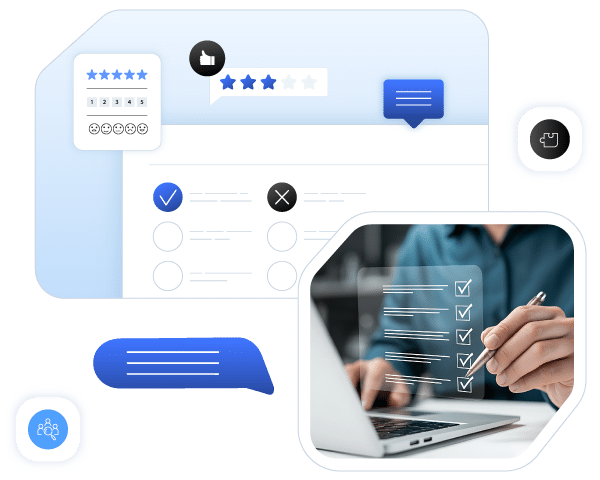


Survey

Collect the Data, Define Your Strategy!

Collect more data in your hiring process with the HRPeak Survey Module. Easily create surveys, analyze data, and strengthen your organizational culture.

What is the HRPeak Survey?

HRPeak Survey is an online assessment tool used both as a recruitment tool and an internal data collection tool to anticipate and minimize potential risks.

With HRPeak Survey, you can track real-time changes, interactively assess the requirements of the economic climate with your employees, and take action based on this data.

You can involve your candidates and employees more in your processes with the Job Application, Probation Period, Hiring Satisfaction, and Exit surveys available in the HRPeak Library.

Why HRPeak Survey

Gain insight at every stage.Manage your recruitment, employee experience, and satisfaction processes from a single platform with the HRPeak Survey Module.

feature-icon

Filtering Applications

Ask candidates critical questions about the position and quickly identify candidates who meet your criteria.

feature-icon

9 Different Field Types

Enrich your surveys with 9 different field types, including text, multiple choice, checkbox, date, and file upload.

feature-icon

Result Form

Complete your surveys with custom results forms and easily report the data.

feature-icon

Detailed Report View

View, filter, and customize responses in a matrix view.

feature-icon

Add Sample Text

Add sample explanatory texts to make it easy for candidates to answer the survey.

feature-icon

All Languages and Alphabets

Tüm alfabeleri destekleyen yapı sayesinde anketlerinizi istediğiniz dilde oluşturun.

Enrich your surveys, diversify your data!

You may add fields such as single line text, multi-line text, yes/no, checkbox, single selection, multipleselection, date, numerical, line separation, and file upload to your surveys to diversify them.

You may improve the effectiveness of your surveys by including features such as adding photos toquestions, conditions, and a conclusion form.

HRPeak Survey Features

Listen more closely to your candidates and employees with surveys!

  • Online Management and Completion

    The survey is conducted online and can be managed, evaluated, and finalized by the evaluator through the system.

  • Security

    Security checks can be performed by determining the number of people in front of the camera through photos and videos taken at regular intervals during the exam.

  • Live Support

    Live support allows you to provide immediate technical support to your candidates throughout the process.

  • Live Support

    Thanks to the immediate reflection of all exam results and candidate answers in the system, you can evaluate your examinees collectively.

How to Use the HRPeak Survey?

  • feature-icon Invite the candidates
    The candidate's information to be evaluated is entered into the system as first name, last name, phone number, and/or email address. At this stage, a position can be defined in the system or one of the previously defined positions can be selected. Candidate information can be uploaded in bulk using Excel if desired.
  • feature-icon Candidates should complete the assessment.
    Candidates log into the system by clicking on the link provided with their unique code. Upon logging in, they agree to the institution's personal data agreements. They can access 24/7 live support during the process and are not affected by technical issues such as connection drops or page crashes.
  • feature-icon View reports
    Reports are generated instantly in the system. The following actions can be performed in the admin panel: Redirecting external users, adding comments about candidates, advancing the process, adding tags to candidates, assigning interviews, and adding interview results*.

    *An additional module may need to be purchased.

Everything About Digital HR!

Are you ready to explore the changing rules of recruitment?

Get Started Now!

ImageImage Dark
ImageImage Dark
ImageImage Dark
ImageImage Dark